logo

ShrimpWorks

// why am I so n00b?

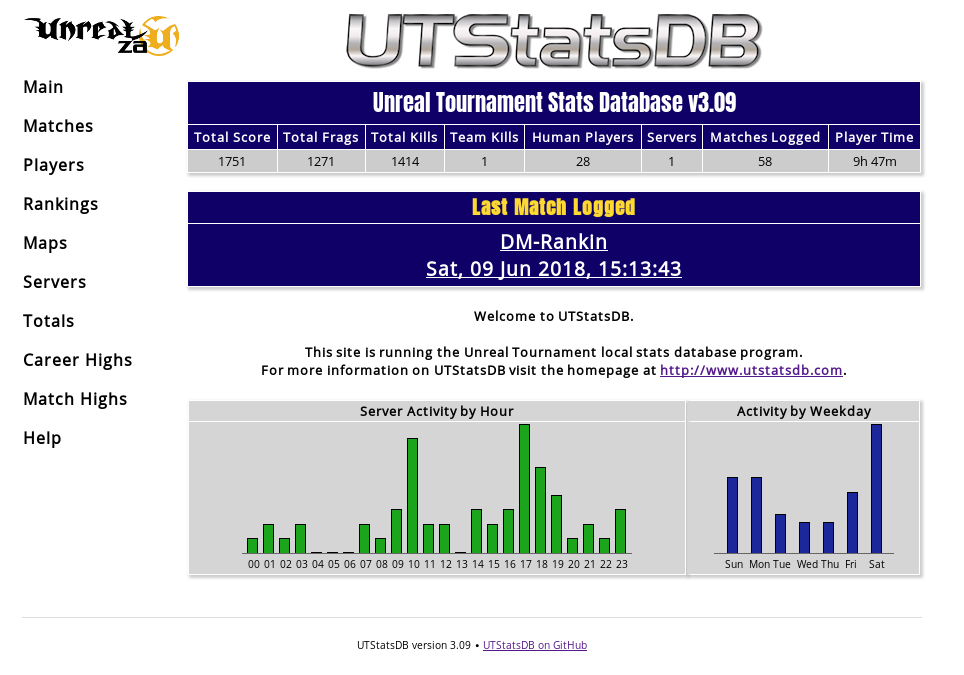
UTStatsDB is a player and match statistics system for Unreal Tournament 99, 2003, 2004 and 3, which parses match logs generated by each game (sometimes requiring additional server-side mutators), and makes stats for each game available through a website.

The stats are also aggregated by player, map and server, allowing you to browse and analyse quite a number of in-depth stats for each.

The project was developed and maintained by Patrick Contreras and Paul Gallier between 2002 and around 2009, where the original project seems to have been abandoned some time after the release of UT3. (addendum: by some coincidence, after 9 years of inactivity, the original author did create a release a few days after my revival/release) Locating downloads (the download page is/was not working) or the source (their SCM system seems to require auth or is simply gone) was quite troublesome.

Thankfully it was released under GPL v2, so I’ve taken it upon myself to be this project’s curator (addendum: since the original author also made a new release, I may now need to look into a rename or major version bump), and have since released two new versions, 3.08 and 3.09 which focus firstly on getting PHP support up to scratch so it runs without issue on PHP 7+, as well as implementing PHP’s PDO database abstraction layer for DB access, rather than using each of the supported DB drivers (MySQL, MSSQL, SQLite) directly.

In addition to many other bug fixes and issues, I’ve thus far revised the presentation significantly, provided Docker support, improved performance of several SQL operations by implementing caching and better queries, etc.

UTStatsDB can be found on GitHub, where the the latest release can also be downloaded.

A live example of UTStatsDB in action can be found at the UnrealZA stats site.

The title’s quite silly unfortunately, but I was recently doing some experimentation with uploading images to CouchDB directly from a browser. I needed to scale the images before storage, and since I was talking directly to the CouchDB service without any kind of in-between API services or server-side scripts, needed a way to achieve this purely on the client.

Thanks to modern APIs available in browsers, combined with a Canvas, it’s actually reasonably simple to process a user-selected image prior to uploading it to the server without the need for any third-party libraries or scripts.

arrow Continue Reading ...

After almost exactly two years since the last release of Out of Eve, here is version 3.0.

As may be noted from the release note, the main goal of this release is to catch everything up with the current state of EVE, it’s API, and the static data dump.

Along the way some new stuff was also added an improved, like the new menu system which allows access to all your characters, so there’s no need to switch between them and then view detail pages, and the introduction of memcached caching, which stores and retrieves entities loaded from the static database dump, reducing page load times and database accesses (a single page load may result in hundreds of individual MySQL queries).

I’m rather pleased with this release, and it seems a lot more solid than most before.

I’ve also got the public Out of Eve website back up, now featuring HTTPS courtesy of Letsencrypt, at last.

I’ve become fond of using nginx on my development machines, rather than a full Apache.

There are no explicit options built-in which allow something along the same lines as Apache’s userdir, however it’s easy enough to tweak the default configuration to support that behaviour without the need for external modules.

I also do some PHP dabbling from time to time, so need to enable that as well.

Install the required bits:

$ sudo aptitude install nginx php5-fpm

Configure nginx (the below is my customised and cleaned out server definition):

/etc/nginx/sites-available/default

server {
    listen 80 default_server;
    listen [::]:80 default_server;

    root /var/www/html;

    # Add index.php to the list if you are using PHP
    index index.html index.htm index.nginx-debian.html index.php;

    server_name _;

    # PHP support in user directories
    location ~ ^/~(.+?)(/.*\.php)$ {
        alias /home/$1/public_html;
        autoindex on;

        include snippets/fastcgi-php.conf;

        try_files $2 = 404;
        fastcgi_pass unix:/var/run/php5-fpm.sock;
    }

    # PHP support in document root
    location ~ \.php$ {
        include snippets/fastcgi-php.conf;
        fastcgi_pass unix:/var/run/php5-fpm.sock;
    }

    # User directories in /home/user/public_html/
    # are accessed via http://host/~user/
    location ~ ^/~(.+?)(/.*)?$ {
        alias /home/$1/public_html$2;
        autoindex on;
    }
}

I also had to make a change to /etc/nginx/snippets/fastcgi-php.conf, to comment out the following line:

#try_files $fastcgi_script_name =404;

After restarting the nginx service (also make sure the php5-fpm service is running), you will be able to serve HTML and PHP files from your ~/public_html directory.

I wanted to add a unit conversion plugin to ZOMB and would really have liked to use an off-the-shelf existing API, but because this didn’t seem to exist in a nice hosted format already - I had to make it :).

The Units API is written in PHP, and is intended to provide an extremely simple and easy-to-use HTTP API for the conversion between various units of measure. Usage documentation is available on the project’s Github page.

I’m also hosting a publicly usable version, at the following URL, so hopefully next time someone needs this they don’t need to reinvent the wheel (again, refer to documentation linked above for usage):

As an aside, this project served as my first introduction to PHPUnit for PHP unit testing, and CI is once again provided by Drone.io which has performed admirably. Design-wise, it was another exercise in defining the public-facing API before a line of code was written, which served as an excellent guide and source of documentation as I worked on it (plus, there’s no need to worry about writing documentation when you’re done :D).

Things have been very quiet on the code front lately, with bursts of activity here and there.

Primarily, I’ve been hacking on Out of Eve. The structure API classes and implementation of the API requests has been bugging me, especially when I’ve had to add a lot of stuff in recent versions, it just grows and grows and becomes unmanageable. Unfortunately fixing it has obviously resulted in breaking every single piece of the application, which I’ve been slowly refactoring and putting back together slightly more sensibly.

On the other hand it’s also a good opportunity to make allowance for the new customisable API key features CCP are implementing.

Besides that, my totally rad completely unique super secret Java-powered website project is stalled. Java’s turned out to be a bit of a pain in the backside. Sure all the background code is nice and stuff, but actually making the website portion of stuff quite sucks. I suspect this project will also need a near complete refactor at some point… Sigh. Coming soon in 2019!

This is just a small update on the status of OOE. As the SVN server previously hosting the OOE source died, and many people have been looking for the source, a Google Code project has been started to facilitate future development.

The source is available as both a regular download and via Subversion.

It’s unlikely I will be doing any development on the project myself, however contributors are welcome.

Hah. Only 3 months late.

Out of Eve has been fully updated to Quantum Rise spec, the promised journal feeds, API key security, and a number of other tweaks. OutofEve.com has been updated to the latest available version, and the source is available for download.

Please leave any feedback in the comments of this post. I’ll set up a proper OOE page on this site at some point, with download links and more detailed information.

As mentioned previously, I just wanted to outline a few plans for a new Out Of Eve version, mostly for my own reference, as I’m finding it much easier to work toward goals which are actually written down/typed up (lol?).

Obviously first order of business is Empyrean Age compatibility. A number of table and field names have changed and require some code updates. Lots of icons have been added and updated, so I would also like to make use of those. Unfortunately a number of images are actually missing in the EA icon dump (drones, rookie ships), so a simple drop-in replacement doesn’t works so well.

Another essential requirement, which should probably have been included in the original release, is encrypted API keys. My plan is to simply encrypt and decrypt these with a simple key file stored elsewhere in the filesystem - away from the usual configuration file, database and published www documents, so if any of that is compromised, without the key file, the API keys are useless to anyone snooping them. This also requires a method to automatically update existing unencrypted API keys.

Another handy feature would be the introduction of Atom feeds for market and journal transactions. My initial idea was an entry for each new transaction, however anyone doing a lot of trading would find their feed reader overloaded quite quickly. The obviously better solution is to just generate entries with all transactions since the last feed poll (taking into account API caching delays as well). I know I’d find this one particularly useful.

Actually that’s all :-). If all goes well, it should be releasable by the end of the weekend.

Heh, I guess there are already plenty of tools out there which do this sort of thing already (never seen them personally, but then I’ve never looked either, heh), but this only took me half an evening to throw together anyway.

Basically, it’s a Python (uses youtube-dl) and PHP-powered web-based YouTube video downloader and converter, you just stick in the URL to a YouTube clip you want to save, and it will download it and offer it for download as an MPEG which you can save on your PC and play in all it’s low-quality glory whenever you want.

Basically it automates the following, which can be run on any Linux PC:

# youtube-dl.py -o myvid.flv http://www.youtube.com/watch?v=123abc # ffmpeg -i myvid.flv -ab 56 -ar 22050 -b 500 -s 320x240 myvid.mpeg

As an added benefit, it stores a complete history of downloaded clips, so you and others can re-download them at any time without having to do the whole fetch/convert process over again. Plus it uses a nifty fake AJAX waiting effect :P.

Requires Linux with ffmpeg, Python 2.4+, and PHP 4.3+.

Update: DynaBar 2 is available, the download link below is out of date.

Finally got around to making a proper release of something :).

Presenting DynaBar, a PHP script which can create dynamic images through the use of plugins, inspired by the Userbars.com website.

I thought it would be cool to be able to have userbars with dynamic data in them, stuff like game server status, stats, etc., etc. to make them a little more exciting. I also wanted to learn a bit more about PHP’s image manipulation, so this proved a good oppertunity for that.

Basically, the whole thing works off a plugin system, which lets you drop in a PHP script (the plugin), set up a config file (the userbar), and link to an image. DynaBar then goes about loading the plugin, requesting it’s data (so it goes off and collects stats, or whatever), and building the final image (putting on the [optional] scanline effect, glossy shine, and layering the text data from the plugin on all of that).

I’ve also created a small designer script, which allows you or any users to create new userbars using plugins or whatever, with their own images and content, in a simple wizard-like interface. The end result is ready-to-use forum or HTML code. :).

Here are some examples, using plugins included in the package:

Image lost in time Simple, plain text (nothing dynamic about it).

Image lost in time This one queries LastFM for which song I’ve played most recently in my media player.

Image lost in time Finally, here we have Battlefield 2 stats, coming from BF2Tracker’s clan XML feed.

Grab the download from the bottom of this post. Please read the README in the doc/ directory.

(Wanted to reply to this NewsForge article, since some other seemingly know-it-all n00bs were ranting in the comments about Smarty being a waste of time, however their comments system won’t let me post [most likely a problem on SAIX’s side])


After having used Smarty for around 2 years now, I don’t think I could ever go back to writing PHP applications without it.

It’s brilliant to be able to spend some time working out your code, logic, etc all nicely in a PHP script, assigning the variables and values you want to present on the final page, then go and throw together a plain HTML page with some smarty tags to display that information.

Bug in your HTML? No need to dig through PHP scripts bloated with loads of HTML searching for problems, just whip out the template and correct it easily. Same goes for debugging the PHP code, it’s not all mixed in with the HTML so it’s millions of time easier to debug.

Overall, there’s no faster, cleaner way of writing PHP applications.

I’ve had a couple of questions regarding my Battlefield 2 Stats in Python post, and how it may be possible to do the same in PHP, so I thought I’d add an update for that.

Simple PHP code for Battlefield 2 Stats retrieval:

    ini_set("user_agent","GameSpyHTTP/1.0");

    $info = "per*,cmb*,twsc,cpcp,cacp,dfcp,kila,heal,rviv,rsup,rpar,tgte,dkas,dsab,cdsc,rank,cmsc,kick,kill,deth,suic,ospm,klpm,klpr,dtpr,bksk,wdsk,bbrs,tcdr,ban,dtpm,lbtl,osaa,vrk,tsql,tsqm,tlwf,mvks,vmks,mvn*,vmr*,fkit,fmap,fveh,fwea,wtm-,wkl-,wdt-,wac-,wkd-,vtm-,vkl-,vdt-,vkd-,vkr-,atm-,awn-,alo-,abr-,ktm-,kkl-,kdt-,kkd-";

    $pid = '43595724';
    $data = file("http://bf2web.gamespy.com/ASP/getplayerinfo.aspx?pid=".$pid."&info=".$info);

    $stats = array_combine(explode("\t", $data[3]), explode("\t", $data[4]));

    printf("%s has %s kills and %s deaths and a score of %s", $stats['nick'], $stats['kill'], $stats['deth'], $stats['scor']);

Note that if you’re not using PHP5, you’ll need to add the following drop-in replacement for the “array_combine” function:

    function array_combine($keys, $vals) {
        $i = 0;
        foreach ($keys as $key) {
            $newarray[trim($key)] = trim($vals[$i++]);
        }
        return $newarray;
    }

It’s also important to note that while at the time of writing this, this method of retrieving stats works, EA, DICE and GameSpy are supposedly working on a new XML-based stats system for BF2.

Updated: Since this was written, some things changed with the stats system, and the GameSpy application requires you to pass a bunch of columns you want info for. This can help customise the data you get back, so you only request what you need. I’ve included all the columns in the $info variable, which you can customise. Make sure it contains only valid columns, or you won’t get any data back at all.

For info on what to do with the stats, and what all the columns etc. mean, check out the BF2 Technical Wiki.

I decided it might be a good idea, from a debugging and administrative point of view, to save the reports people were viewing in my application at work. Since users are distributed all over the country, and I have to communicate with them over the phone with on-the-spot problems, it’s hard and very time consuming to get them to tell me all the parameters etc they’re using to generate a report which they are having problems with (mostly, the data looks like something they weren’t expecting).

Anyway, I thought saving the exact report they are viewing is much easier for me to simply call up while someone’s on the phone, than doing the whole ‘which options did you use?’ thing.

Option one was saving each report to a PDF file on the server, but, that’s pretty inflexible, and also, people can view more than just PDF files with my reporting options (emails can be send direct, zip files can be downloaded, and data can be downloaded in csv format), so that wouldn’t always work out.

So I looked into serializing the actual report object used to generate any of the above report types, since that object contains absolutely all data, totals, titles, info, etc.. Unfortunately, PHP’s built-in serialize() and unserialize() functions don’t work too well with complex data structures (arrays within classes, multi-dimensional arrays, etc, etc), and I couldn’t really work around all that without writing a few GBs of code onto my report class.

SO, I turned to XML. As it turns out, the PEAR ‘suite’ of scripts contains a rather useful XML serialization class -XML_Serializer, which can turn any data structure into an XML string, and for reading those strings back to usable PHP variables and objects.

It’s really quite simple:

$object = new SomeClass();
$object->var1 = "Hello World";
$object->etc();

$serializer = &new XML_Serializer(array("indent" => "  ", "typeHints" => true));
$serializer->serialize($object);
$xml = $serializer->getSerializedData();

$xml now contains the full definition of $object in XML. You can write $xml to a file, save it in a database, whatever you like.

You can then come back later, and load the file/database record/etc into a string, and deserialize it…

$unserializer = &new XML_Unserializer();
$unserializer->unserialize($xml);
$object2 = $unserializer->getUnserializedData();

echo $object2->var1;
$object2->etc();

Quite fun actually :D. You can obviously do a lot of error checking, and other things, but that’s just the basics.